Custom Availability
Give customers clear delivery expectations before they add to cart. Availability & Wholesale Badges adds per-product and per-variation availability fields, an optional “available from” date, minimum sale quantities, and storefront/admin controls — without editing templates.
What it does
- Availability / delivery status per product and per variation (readily available, 1–3 days, 4–10 days, upon request, and more).
- Admin-managed availability options: add, remove, reorder and translate labels without editing code.
- Per-language labels with automatic fallback for single-language stores.
- Available-from date for products that are expected later.
- Minimum sale quantity to prevent under-ordering.
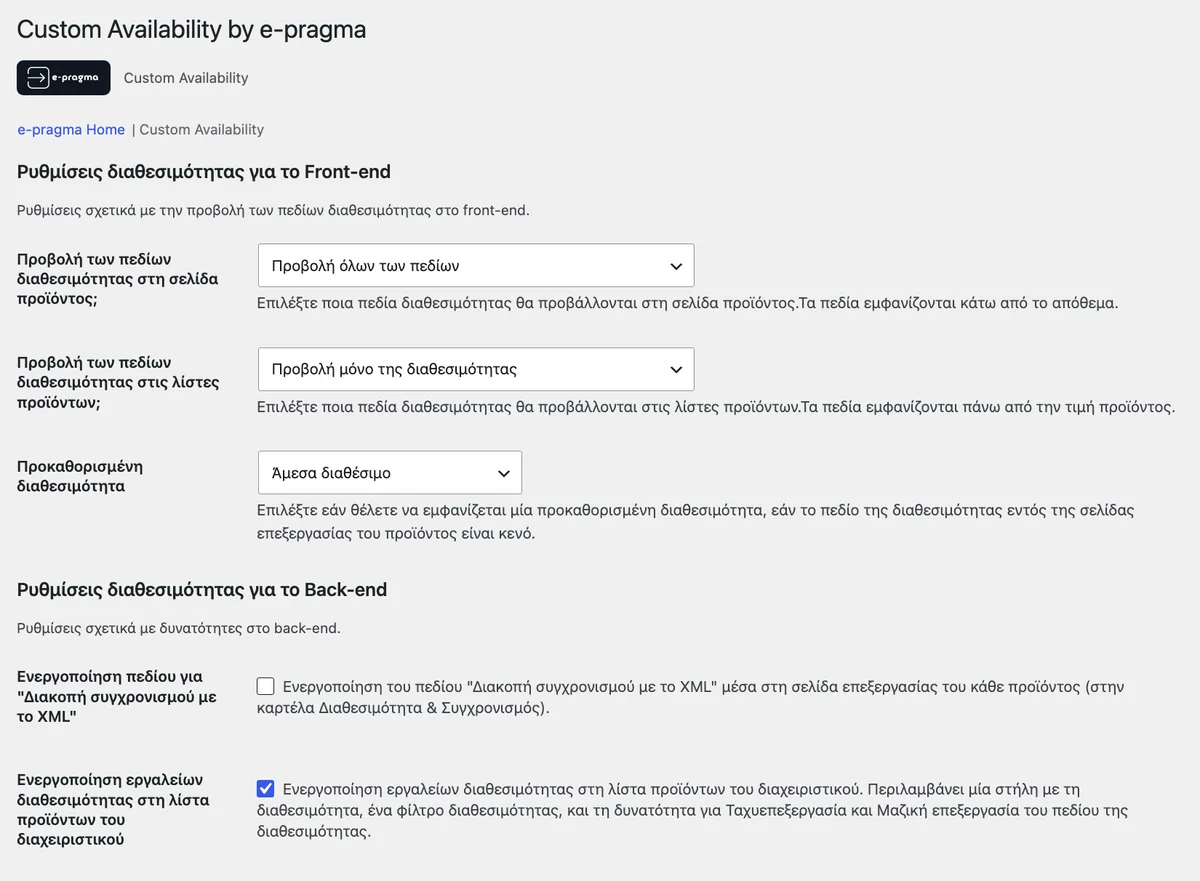
- Storefront display control: show availability and/or the available-from date on single product pages, product grids, or both.
- Default availability when a product has no explicit value.
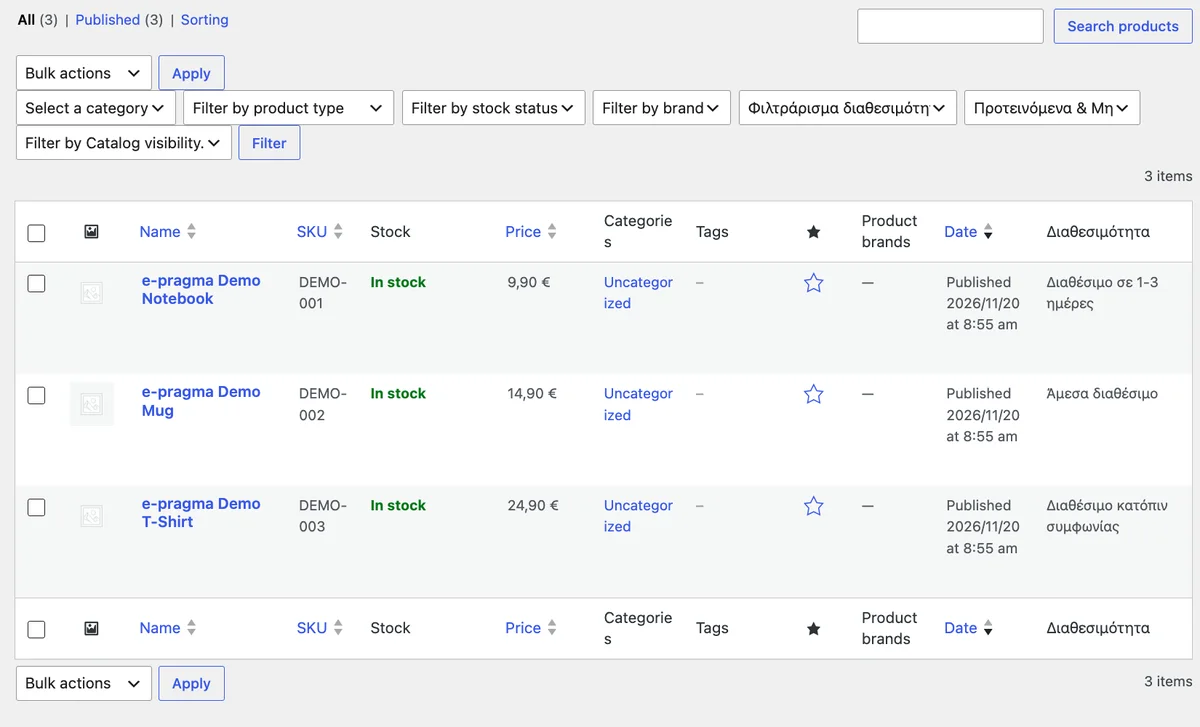
- Admin product list tools: availability column, availability filter, Quick Edit and Bulk Edit support.
- Wholesale / inart compatibility for stores using wholesale availability labels.
- Availability filter widget for layered navigation when the accompanying filter widget is enabled.
Screenshots
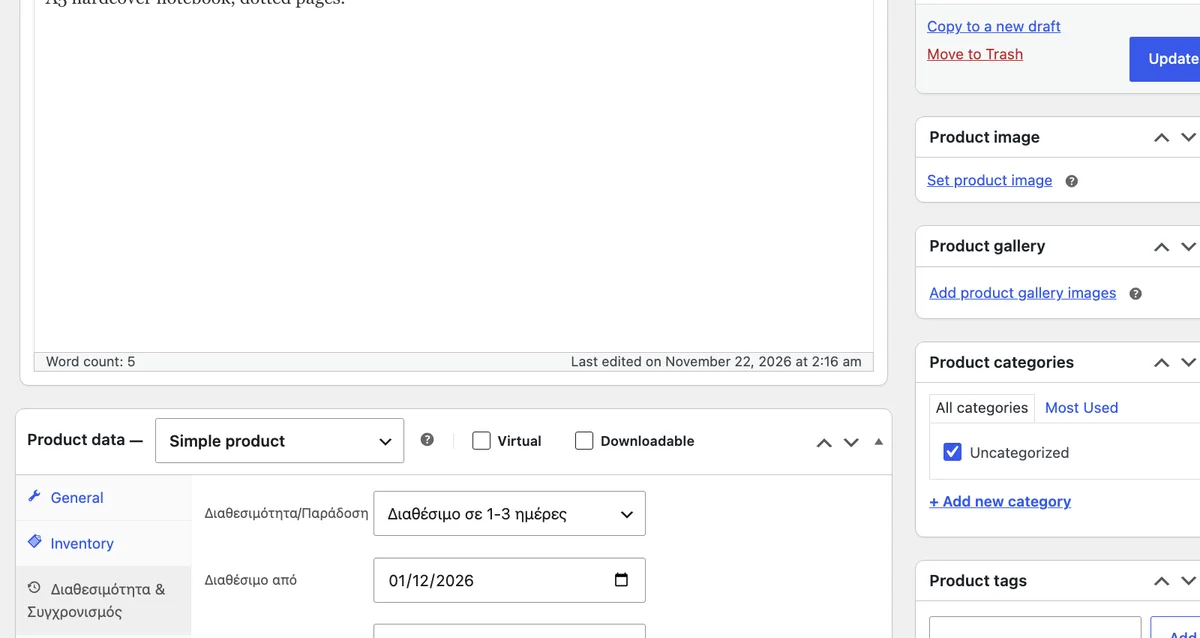
Product edit — Availability & Sync
Set the availability, available-from date and minimum quantity directly in the WooCommerce product data panel.
Admin product list
The availability column and availability filter make the catalogue easy to audit and bulk-edit.
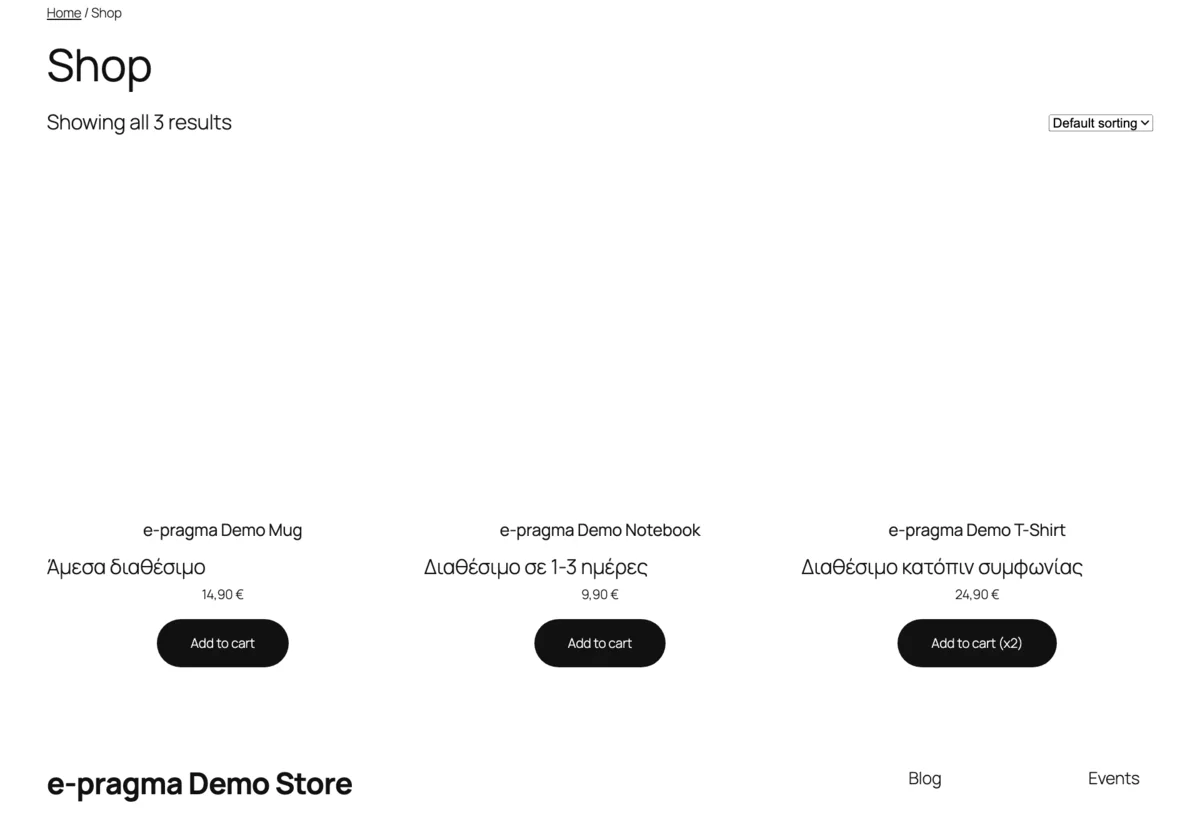
Storefront product grid
Availability labels appear above the price in product grids. The demo T-shirt also demonstrates the minimum quantity (×2).
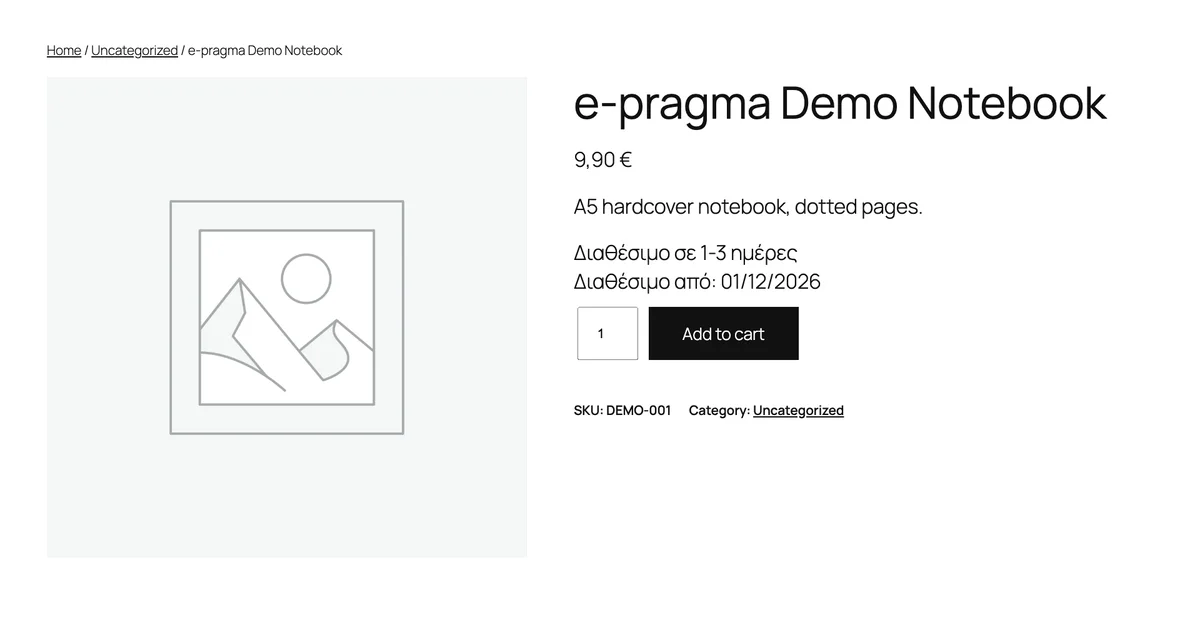
Single product page
The product page shows the availability and, when set, the available-from date below the price/short description.
How to use
- Choose what customers see. Go to WooCommerce → e-pragma → Custom Availability and set:
- Display availability fields on the single product page — all fields, availability only, date only, or nothing.
- Display availability fields on product grids — all fields, availability only, date only, or nothing.
- Default availability — fallback when a product has no value.
- Admin product list tools — enable the availability column, filter, Quick Edit and Bulk Edit.
- Set a product’s availability. Edit a product and open Product data → Availability & Sync. Choose the availability/delivery status, optionally set an Available from date and a Minimum sale quantity, then update the product. The same fields are available for each variation.
- Review the catalogue. In Products, use the Availability column and the availability filter. Use Quick Edit or Bulk Edit to change availability for several products at once.
- Check the storefront. Visit the shop and a product page. Availability is rendered by WooCommerce hooks, so it inherits your theme’s typography and spacing.
Demo data
The e-pragma demo eshop sells the four e-pragma modules themselves, and each one carries a different availability:
- Availability & Wholesale Badges — available in 1–3 days.
- ePay Paycenter Gateway and Invoice Checkout Fields — readily available.
- Product Feed Studio — readily available, plus an available-from date (01/12/2026).
That covers the standard status and the available-from date end to end; minimum quantities can be set per product in the product data panel.
Availability options
Open WooCommerce → e-pragma → Custom Availability and use the Availability options table.
- Edit labels for each site language.
- Toggle an option active/inactive and adjust its sort order.
- Remove hides it from new product/variation selectors; existing values remain visible as
(legacy). - Add availability option creates a custom key such as
custom_express. - Without WPML/Polylang, the default site language is used and missing labels fall back to the default language/English.
Requirements
- WordPress 6.x or newer.
- WooCommerce 5.6 or newer (tested with WooCommerce 11.2.2 on WordPress 7.1.5).
- PHP 7.4 or newer.
Support & updates
- Product page and support: e-pragma.gr
- Updates are delivered through the bundled Acme Updater connected to the e-pragma update server.
© e-pragma. All rights reserved.